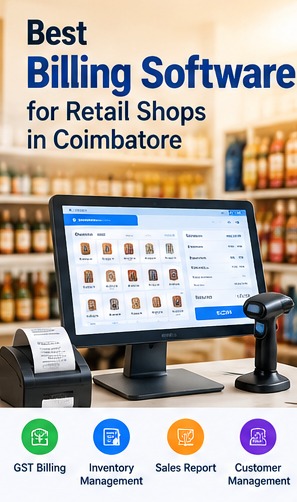
Retail shops need a reliable way to create bills, track sales and keep stock records accurate. Billing software can bring these everyday tasks into one workflow, helping owners review transactions and make informed business decisions.
Why Retail Shops Use Billing Software
Billing software can reduce repetitive manual entry and help keep sales records organised. Depending on the system, a shop may create invoices, record payment methods, track products and review daily sales from one interface.
Features to Evaluate Before Choosing a POS System
Look for quick item search, barcode support where needed, configurable tax settings, discounts, returns, multiple payment methods, customer records, user permissions and clear sales reports. Choose features based on how your shop actually operates.
- Document the current process and key users.
- Identify required reports and integrations.
- Confirm permissions, backups and support arrangements.
Inventory and Low-Stock Tracking
When billing and inventory are connected, sales can update stock quantities automatically. Purchase entries, stock adjustments and low-stock alerts can help staff identify products that need replenishment. Verify how the software handles units, variants and returns.
GST Invoices and Business Reports
If your business is required to issue GST invoices, ensure the software supports the invoice fields and tax workflows applicable to your business. Have your accountant verify tax configuration and reports before relying on them for compliance.
Cloud, Desktop or Custom Billing Software?
A ready-made product may suit shops with standard workflows. A custom solution may be useful when you need specific approval steps, integrations, multiple branches or industry-specific reports. Compare the full cost, data access, backups, support and future changes.
Questions to Ask a Billing Software Provider
Ask about setup, data migration, user training, backups, offline operation, printer compatibility, support response times, updates and export options. Request a demonstration using realistic products and billing scenarios.
Conclusion
The right billing POS system should make checkout straightforward while keeping stock and sales records useful. List your must-have features, test common transactions and confirm the support arrangement before selecting a solution.
Related Software Services
Error Tech Solutions works with businesses on website development, custom software, ERP, CRM, eCommerce and business automation requirements. Explore our software development services, portfolio or contact our team to discuss your project requirements.
Discuss Your Business Software Requirements
Share your workflow, the features you need and your goals. Our team can discuss possible approaches for your business.
Contact Error Tech Solutions