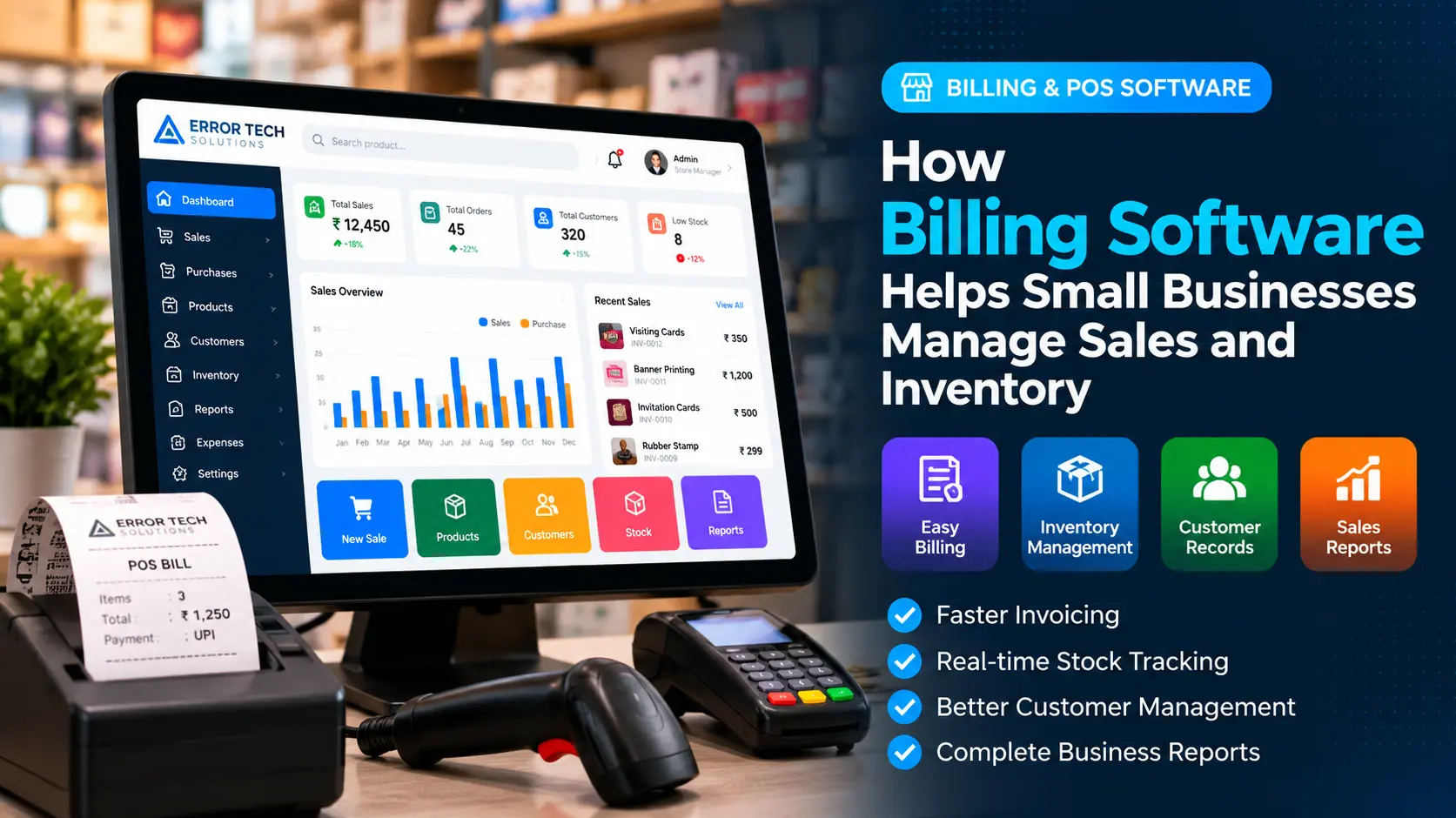
Small businesses often manage sales, invoices, stock levels and customer details at the same time. When these activities are handled through separate notebooks, spreadsheets or disconnected tools, it can become difficult to keep information accurate and up to date.
Billing software brings everyday sales activities into one system. Depending on the product and configuration, it can help a business create invoices, record payments, update stock, maintain customer information and review sales reports from a central dashboard.
What Is Billing Software?
Billing software is an application used to prepare bills or invoices, calculate item totals, record payments and maintain sales transactions. Many solutions also support tax settings, discounts, customer records, product lists and printable or shareable invoices.
A Point of Sale (POS) system is commonly used to complete sales at a shop counter or service location. Depending on the solution, POS software may include barcode scanning, multiple payment methods, receipt printing, returns, cashier accounts and stock management.
Why Small Businesses Use Billing and POS Software
Shops, wholesalers, distributors, service providers and other small businesses need a reliable way to record transactions. Billing software can make routine work more organized and reduce the need to re-enter the same sales information in multiple places.
1. Create Invoices More Efficiently
A billing system can keep product names, prices, units and tax settings ready for use when preparing an invoice. Staff can select items, enter quantities, apply permitted discounts and calculate totals within the same workflow.
- Create sales bills and invoices from saved product records.
- Calculate item totals, discounts and configured taxes.
- Print receipts or share invoices digitally when supported.
- Find previous transactions when a customer needs a copy.
2. Keep Inventory Records Up to Date
When billing and inventory are connected, a completed sale can update the recorded stock quantity according to the system's settings. This gives staff a clearer view of available items and can help identify products that may need replenishment.
Check whether the software supports purchase entries, stock adjustments, returns, unit conversions, low-stock alerts and item variants where these features are important to your business.
3. Track Daily Sales and Payments
Sales reports can help owners review transactions over a selected period. Depending on the software, reports may be filtered by date, product, cashier, branch, payment method or customer.
Clear records make it easier to compare sales activity and investigate differences between recorded bills and received payments. Businesses should still reconcile payment records with bank, cash and payment-provider statements.
4. Maintain Customer Information
A billing system may store customer names, contact details, purchase history and outstanding balances when those features are available and configured. This can make repeat transactions easier and help staff retrieve relevant information when assisting customers.
Collect only the customer information needed for legitimate business purposes and protect it with appropriate user permissions.
5. Monitor Products, Prices and Purchase Costs
A product master can keep item names, codes, selling prices, units and categories organized. Inventory-focused systems may also record supplier details, purchase prices, stock receipts and purchase history.
Before choosing a solution, check how it handles price changes, product variants, returns, damaged stock and the difference between selling price and purchase cost.
6. Generate Useful Business Reports
Reports turn transaction records into information that owners can review. Common examples include daily sales summaries, item-wise sales, stock summaries, purchase reports, payment reports and tax-related summaries. The exact reports available depend on the software.
Confirm that data is complete and configured correctly before relying on reports for accounting or statutory reporting.
7. Manage Multiple Users or Branches
As a business grows, different staff members may need different levels of access. User roles can help limit who is allowed to change prices, approve discounts, edit stock, view reports or manage settings.
Businesses with multiple locations should verify support for branch-wise stock, centralized reporting, user permissions and required data synchronization.
8. Reduce Repeated Manual Work
Re-entering sales details into separate registers and spreadsheets can take time and introduce inconsistencies. A connected billing workflow can keep transaction details together and make common records easier to retrieve.
Software does not remove the need for accurate data entry, staff training or regular backups. It works best when the business follows clear procedures for sales, purchases, returns and stock adjustments.
Which Businesses Can Benefit From Billing Software?
Billing and POS tools are used by many types of small and medium-sized businesses. The most suitable features depend on the products sold, the number of transactions and the way each business manages stock and payments.
- Retail shops, supermarkets and convenience stores
- Electronics, hardware and paint stores
- Garment, textile and fashion businesses
- Wholesale and distribution businesses
- Printing shops and stationery stores
- Restaurants and other service businesses
How to Choose the Right Billing Software
Compare software based on your actual daily workflow rather than choosing only by the number of features advertised. A small counter-based shop may need a simple POS, while a wholesaler may require purchase management, credit tracking, multiple price levels and detailed inventory reports.
- Billing workflow: Confirm that creating and correcting invoices is straightforward.
- Inventory: Check stock updates, purchases, returns and low-stock notifications.
- Taxes: Verify the tax configuration and invoice formats required for your business.
- Reports: Make sure reports help you monitor sales, stock and payments.
- User access: Look for permissions and activity records appropriate to your team.
- Backups: Understand how data is backed up and restored.
- Support: Check what onboarding, training and ongoing support are included.
- Scalability: Consider whether it can support more users, products or branches later.
Billing Software for Businesses in Coimbatore
Businesses in Coimbatore operate across retail, textiles, manufacturing, wholesale, printing, food and professional services. Their billing requirements can vary depending on product types, stock movement, customer credit and the way invoices are prepared.
Error Tech Solutions develops software for business workflows, including billing, inventory and customized applications. Explore our software development services in Coimbatore to discuss the requirements for your business.
Common Billing Software Mistakes to Avoid
- Choosing software without testing the actual billing workflow.
- Not setting up product names, units, prices and opening stock correctly.
- Giving every user full administrative access.
- Ignoring backups and recovery procedures.
- Not recording returns, cancelled bills or stock adjustments consistently.
- Assuming every system includes the same tax, accounting or reporting features.
- Failing to train staff before switching from a manual process.
Frequently Asked Questions
Is billing software useful for a small shop?
It can be useful when a shop wants to record sales consistently, prepare invoices faster and keep transaction records organized. The best option depends on the shop's product range, sales volume and budget.
Does billing software automatically manage inventory?
Only if inventory management is included and configured. Confirm that sales, purchases, returns and stock adjustments update records in the way your business requires.
Can billing software support GST invoices?
Some systems support GST-related invoice fields and reports. Verify that the configuration and outputs meet your business requirements, and consult a qualified tax professional when needed.
Can billing software be customized?
Some products allow configuration or add-ons, while custom-developed systems can be designed around specific workflows. Confirm costs, maintenance, integrations and support before deciding.
What should I check before moving from manual billing?
Review product data, opening stock, customer records, tax settings, invoice numbering, user permissions, backups and staff training. Test sample transactions before using the new system for daily sales.
Looking for Billing or Custom Business Software?
Error Tech Solutions builds business software based on operational requirements. Discuss your billing process, inventory needs, reports and integrations with our team to understand a suitable approach.
Explore our Software Development services or view our Billing & POS Software portfolio.
Want to Improve Your Billing Workflow?
Tell us about your products, daily sales process and inventory requirements. Our team can discuss possible billing and software solutions for your business.
Contact Error Tech Solutions