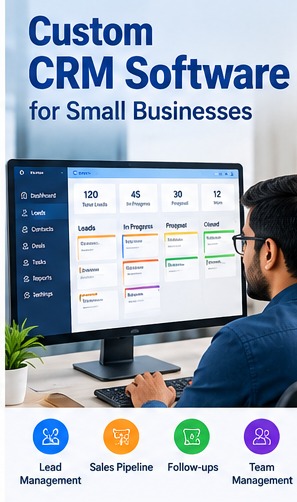
As enquiries grow, customer details can become scattered across spreadsheets, inboxes and messaging apps. A customer relationship management system can centralise lead records and follow-up activity, helping teams manage opportunities more consistently.
What a CRM System Does
CRM software stores customer and prospect information alongside interactions, enquiries, tasks and sales opportunities. A well-designed workflow helps team members understand the next action without relying on separate personal records.
Core Features for Small Businesses
Common features include lead capture, contact history, pipeline stages, reminders, task assignment, notes, search, reports and user permissions. Start with the features that address real bottlenecks rather than adding complexity too early.
- Document the current process and key users.
- Identify required reports and integrations.
- Confirm permissions, backups and support arrangements.
When Custom CRM Makes Sense
Custom CRM may be worth evaluating when your process needs specific approval stages, industry fields, role-based dashboards or integration with existing systems. If your workflow is standard, an established CRM product may be more cost-effective.
Automate Follow-Ups Carefully
Reminders and task rules can reduce missed follow-ups. Define who owns each lead, when reminders trigger and how completed or invalid leads are handled. Automation should support staff judgement rather than send unwanted messages.
Data Quality, Privacy and Access
Agree on required fields, duplicate handling, access permissions, retention and backup practices. Limit access to customer information according to job responsibilities and follow applicable privacy and communication requirements.
CRM Reports That Help Managers
Reports may show enquiries by source, pipeline stage, follow-up ageing, conversion rates and team workload. Make sure teams enter data consistently before using metrics to compare performance.
Conclusion
Choose a CRM based on the customer journey your business follows. Map the process, prioritise a small set of useful features and test the system with real users before expanding.
Related Software Services
Error Tech Solutions works with businesses on website development, custom software, ERP, CRM, eCommerce and business automation requirements. Explore our software development services, portfolio or contact our team to discuss your project requirements.
Discuss Your Business Software Requirements
Share your workflow, the features you need and your goals. Our team can discuss possible approaches for your business.
Contact Error Tech Solutions