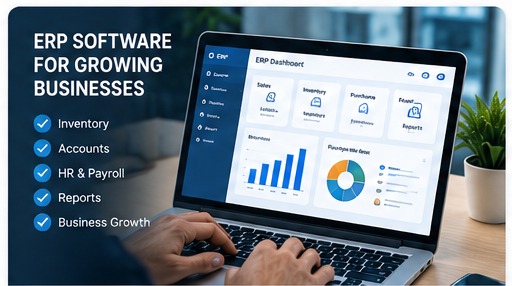
Managing a growing business often means handling information from different departments at the same time. Sales teams manage orders, purchase teams track suppliers, stores manage inventory, accounts teams maintain financial records and managers need reports to make decisions. When these activities are handled through disconnected spreadsheets and separate applications, information can become difficult to maintain and share.
ERP software provides a central system for managing these business processes. Instead of maintaining separate records for every department, businesses can connect important workflows through one software platform.
What Is ERP Software?
ERP stands for Enterprise Resource Planning. ERP software is designed to manage and connect multiple business functions within a single system.
Depending on the business, an ERP system can include modules for sales, purchases, inventory, accounting, customer management, employee management, production, reporting and other operational processes.
A business does not necessarily need every ERP module. A good ERP implementation starts with the processes that are most important to the organisation and can expand as the business grows.
Why Businesses in Coimbatore Use ERP Solutions
Businesses across different industries in Coimbatore may have different operational requirements. A trading company may focus on purchasing and inventory, while a manufacturer may need production and stock tracking. A retail business may need billing, inventory and customer management.
ERP software can be configured around these workflows instead of forcing every business to manage operations in the same way.
Key Benefits of ERP Software
1. Centralised Business Information
ERP software can bring information from multiple business functions into a central platform. This can make it easier for authorised users to access the information they need without searching through multiple spreadsheets or disconnected applications.
2. Better Inventory Management
Inventory is an important part of many businesses. ERP software can help track stock receipts, sales, purchases, transfers and current inventory levels.
With better stock visibility, teams can make purchasing and replenishment decisions using more current information.
3. Connected Sales and Purchasing
Sales and purchasing are often closely connected. When sales orders, purchases and inventory are maintained in separate systems, teams may need to manually compare information.
An integrated ERP workflow can connect these processes and provide a clearer operational picture.
4. Faster Reporting
Business owners and managers often need reports covering sales, purchases, inventory, customers and other activities. ERP systems can generate reports from the data stored within the platform, reducing the need to prepare every report manually.
5. Reduced Manual Data Entry
Re-entering the same information into multiple systems increases repetitive work. When related processes are connected, information can flow between modules and reduce unnecessary duplicate entry.
6. Improved Business Visibility
A centralised ERP system can give management a broader view of business operations. Depending on the modules implemented, managers can review sales, stock, purchases, customers and other operational information from one system.
ERP Modules a Business May Need
ERP requirements depend on the industry, business size and workflow. Common modules include:
- Sales: quotations, orders, invoices and customer transactions.
- Purchasing: suppliers, purchase orders and purchase records.
- Inventory: stock receipts, transfers, adjustments and stock reports.
- Accounts: financial transactions, payments and accounting reports.
- CRM: leads, customers, follow-ups and communication history.
- HR: employee information, attendance and payroll-related workflows.
- Reports: management dashboards and operational reports.
- Production: manufacturing workflows, materials and production tracking where required.
Custom ERP vs Ready-Made ERP Software
Businesses usually evaluate whether a ready-made ERP product is sufficient or whether they need a customised solution.
A ready-made ERP can be useful when its existing modules closely match the company's processes. Custom ERP software can be considered when the business has specialised workflows, integrations or reporting requirements that are difficult to handle with a standard product.
Before choosing a solution, businesses should document their current workflows and identify which processes genuinely need customisation. This helps avoid paying for unnecessary features.
How to Choose ERP Software for Your Business
- List the business processes you want to manage.
- Identify the departments and users who will use the system.
- Define the reports and dashboards management needs.
- Check whether the system can integrate with existing tools.
- Review user permissions and data security controls.
- Understand implementation, training and ongoing support.
- Consider how the system can scale as your business grows.
ERP Software for Growing Businesses in Coimbatore
For a growing business, ERP is not only about installing software. The implementation should reflect the way the business actually operates.
A practical approach is to start with the most important workflows, establish clean data and user permissions, train the relevant teams, and then expand the system when additional modules are required.
If you are evaluating software for your business, our software development services in Coimbatore can be used to discuss custom business software, ERP, CRM, inventory and automation requirements.
When Should You Consider an ERP System?
An ERP discussion may be useful when a business is experiencing operational issues such as duplicated data, disconnected spreadsheets, limited stock visibility, manual reporting or difficulty coordinating different departments.
The right time to evaluate an ERP system depends on the business requirements rather than a particular employee count or revenue level. The objective should be to solve identifiable operational problems and create a system that can support future growth.
Looking for Business Software in Coimbatore?
Error Tech Solutions provides software development and business automation solutions for organisations looking to improve their digital operations.
Explore our Software Development services or learn more about IT companies and software solutions in Coimbatore .
Have an ERP or Business Software Requirement?
Tell us about your current workflow, the departments you want to connect and the reports you need. Our team can discuss a suitable software approach for your business.
Contact Error Tech Solutions