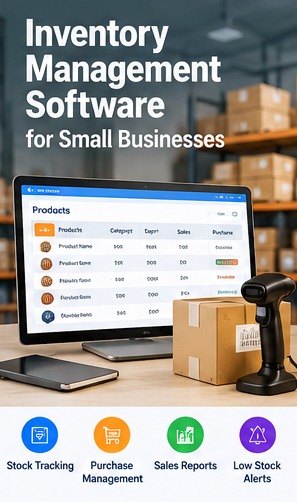
Keeping accurate stock records is difficult when purchases, sales, returns and adjustments are recorded in different places. Inventory management software can help businesses maintain a more consistent view of stock movement and availability.
What Inventory Management Software Tracks
Depending on the system, it can record items, units, suppliers, receipts, issues, sales, returns, transfers and adjustments. Define each transaction type clearly so staff use the same process.
Set Up a Reliable Item Master
Use consistent item names, codes, units and relevant attributes such as size, colour or model. Duplicate records and inconsistent units make stock reports harder to trust, so clean the item list before importing data.
- Document the current process and key users.
- Identify required reports and integrations.
- Confirm permissions, backups and support arrangements.
Purchasing and Goods Receipts
Connect purchase orders, received quantities, supplier details and discrepancies. Record partial receipts and returns consistently, and make sure the system distinguishes ordered quantities from quantities physically received.
Sales, Transfers and Stock Adjustments
Sales may reduce available stock, while transfers move quantities between locations. Adjustments should include a reason and an authorised user so stock differences can be investigated later.
Low-Stock Alerts and Reports
Reorder levels can help flag products that may need replenishment. Useful reports include stock on hand, stock movement, slow-moving items, purchase history and differences found during stock counts.
Choosing Cloud, Desktop or Custom Inventory Tools
Compare multi-location needs, offline requirements, barcode support, integrations, backups, permissions and export options. Custom development is most useful when standard tools cannot support essential business workflows.
Conclusion
Inventory software works best when system records match real operations. Assign clear responsibilities, conduct regular stock checks and review exceptions instead of relying on software alone.
Related Software Services
Error Tech Solutions works with businesses on website development, custom software, ERP, CRM, eCommerce and business automation requirements. Explore our software development services, portfolio or contact our team to discuss your project requirements.
Discuss Your Business Software Requirements
Share your workflow, the features you need and your goals. Our team can discuss possible approaches for your business.
Contact Error Tech Solutions